Source: FullEnrich
You've built a solid lead list. The targeting is tight. Your ICP is crystal clear. And then you try to find contact information and hit a wall.
Apollo doesn't have the email. Lusha doesn't have the phone number. You're piecing together partial data from three different tools and still coming up short. Sound familiar?
That's the exact problem FullEnrich was built to solve. Instead of relying on a single data provider, FullEnrich queries 20+ providers simultaneously using a waterfall approach, giving your outreach efforts the best possible chance of finding accurate, verified prospect data. In this FullEnrich review, you'll get a clear picture of how it works, what it costs, what real users think, and whether it belongs in your stack.
How FullEnrich Waterfall Enrichment Works
Most B2B contact enrichment tools have one fundamental weakness: they pull from a single database. If that database doesn't have your prospect, you get nothing. FullEnrich takes a different approach.
The FullEnrich waterfall enrichment system queries multiple providers in sequence. Each one fills in the gaps left by the previous one. When provider A can't find an email, provider B tries. When B fails, C steps in. This continues across the full network of 20+ vendors until FullEnrich either finds the contact data or exhausts all options.
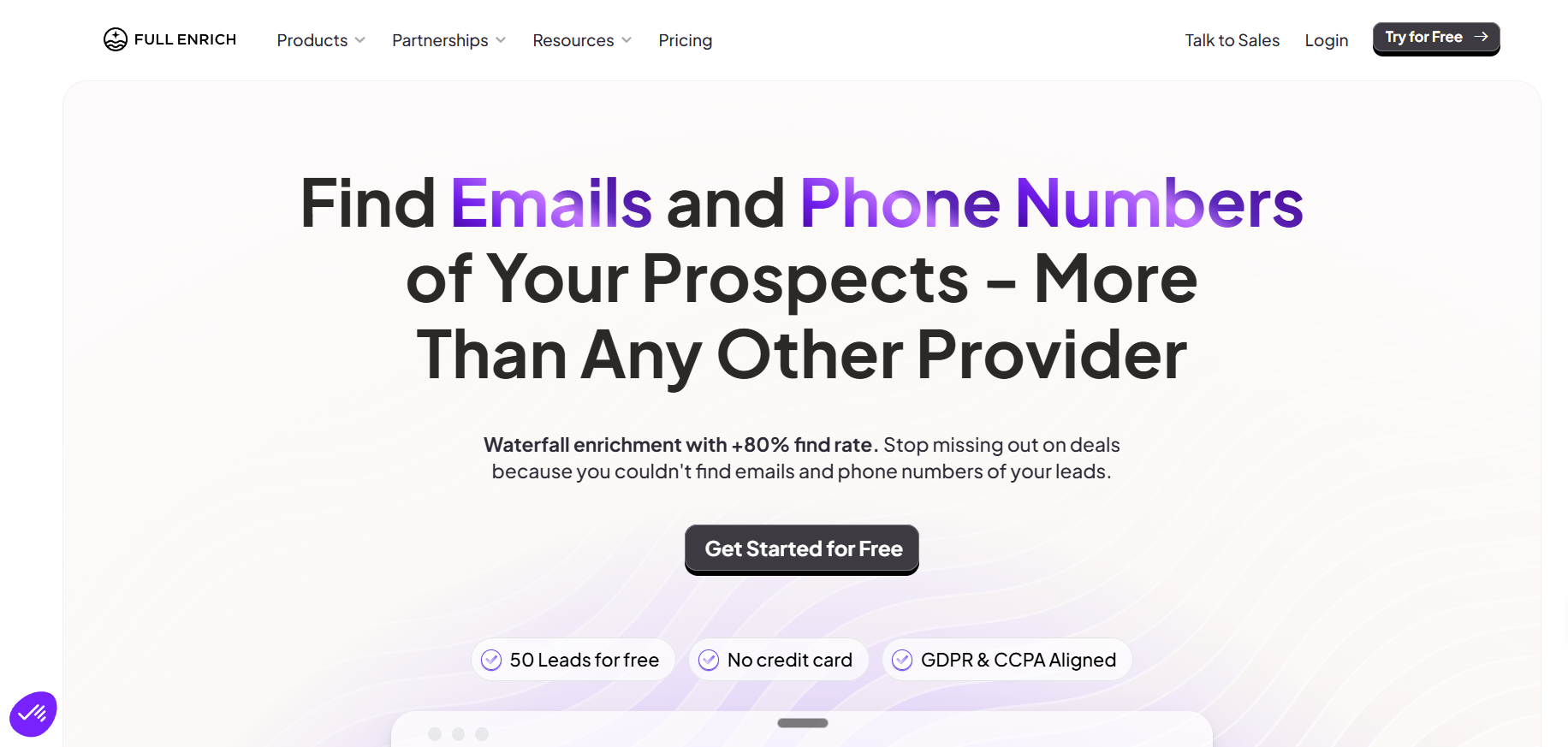
The result is an average enrichment rate of around 80%, which is significantly higher than what you'd get from single-source tools. That 80% figure varies by industry and geography, but FullEnrich performs especially well for teams targeting prospects across multiple countries, where regional data coverage gaps are common.
What data does FullEnrich find?
- Work email addresses (1 credit per successful find)
- Mobile phone numbers (10 credits per successful find)
- Personal email addresses (3 credits per successful find)
- Full person and company details included free with any lookup
One thing worth noting: FullEnrich only charges a credit when it successfully finds something. If it can't locate contact data, you don't pay. That's a meaningful difference from tools that charge per search regardless of outcome.
This approach also improves data quality. Because FullEnrich aggregates results across providers and runs triple email verification, the data you receive is more reliable than what a single-source tool delivers. This directly impacts your bounce rate, which matters for cold outreach at scale.
FullEnrich LinkedIn Integration and Chrome Extension
LinkedIn is one of the most discussed topics in any FullEnrich review, mostly because the Chrome extension situation has been a point of confusion.
FullEnrich's Chrome extension stopped working for direct LinkedIn enrichment in June 2024. The platform significantly tightened its rules around third-party tool access, and FullEnrich discontinued the extension's functionality to preserve its standing.
What this means practically: you can no longer enrich contacts directly from a LinkedIn profile using the Chrome extension. The current workflow requires you to export LinkedIn profile URLs into FullEnrich's web platform for bulk enrichment or use the Sales Navigator CSV export route.
This is a real limitation if your workflow depends on quick, one-at-a-time LinkedIn enrichment. That said, FullEnrich still integrates well with LinkedIn Sales Navigator for bulk workflows. If you're exporting lists of 50 to 5,000 contacts for enrichment, the web platform handles that efficiently.
FullEnrich also works cleanly with CSV uploads and API access, which means you can enrich contacts from any source, not just LinkedIn profiles. Many teams use it to enrich lists from outbound prospecting databases, event attendee exports, or CRM records with missing data.
> Pro Tip: If you're running high-volume outreach and your list has 500+ contacts, the web platform workflow is actually faster than enriching one-by-one through a Chrome extension anyway. Bulk enrichment through FullEnrich's platform is where the tool genuinely shines.
FullEnrich Integrations: CRM and API Options
FullEnrich offers straightforward integration options that work for most B2B outreach workflows.
Native integrations include:
- Clay (one of the most popular use cases among FullEnrich users)
- HubSpot CRM
- Salesforce
- Zapier (for connecting to hundreds of other tools)
- API access for custom workflows
The Clay integration is worth highlighting. Many outbound teams use Clay for workflow automation and enrichment orchestration. FullEnrich connects directly inside Clay as an enrichment source, which means you can layer FullEnrich's waterfall lookup into a more complex automation without leaving the Clay environment. For teams already using Clay, this is a significant advantage.
The API is well-documented and straightforward to implement. If your team has engineering resources, you can build FullEnrich into any custom pipeline, internal tool, or outreach automation. The API supports bulk enrichment, single lookups, and reverse email lookups (turning an email into a full person and company profile).
For a deeper look at how FullEnrich compares to Clay as an enrichment tool, see our [Clay AI review covering pros, cons, and use cases](https://www.outreachark.com/blog/clay-review).
FullEnrich Pricing and Plans
FullEnrich pricing is credit-based and transparent, which is a genuine differentiator in a space where many competitors hide their costs behind sales calls.
Here's how the pricing breaks down:
You've built a solid lead list. The targeting is tight. Your ICP is crystal clear. And then you try to find contact information and hit a wall.
Apollo doesn't have the email. Lusha doesn't have the phone number. You're piecing together partial data from three different tools and still coming up short. Sound familiar?
That's the exact problem FullEnrich was built to solve. Instead of relying on a single data provider, FullEnrich queries 20+ providers simultaneously using a waterfall approach, giving your outreach efforts the best possible chance of finding accurate, verified prospect data. In this FullEnrich review, you'll get a clear picture of how it works, what it costs, what real users think, and whether it belongs in your stack.
How FullEnrich Waterfall Enrichment Works
Most B2B contact enrichment tools have one fundamental weakness: they pull from a single database. If that database doesn't have your prospect, you get nothing. FullEnrich takes a different approach.
The FullEnrich waterfall enrichment system queries multiple providers in sequence. Each one fills in the gaps left by the previous one. When provider A can't find an email, provider B tries. When B fails, C steps in. This continues across the full network of 20+ vendors until FullEnrich either finds the contact data or exhausts all options.
The result is an average enrichment rate of around 80%, which is significantly higher than what you'd get from single-source tools. That 80% figure varies by industry and geography, but FullEnrich performs especially well for teams targeting prospects across multiple countries, where regional data coverage gaps are common.
What data does FullEnrich find?
- Work email addresses (1 credit per successful find)
- Mobile phone numbers (10 credits per successful find)
- Personal email addresses (3 credits per successful find)
- Full person and company details included free with any lookup
One thing worth noting: FullEnrich only charges a credit when it successfully finds something. If it can't locate contact data, you don't pay. That's a meaningful difference from tools that charge per search regardless of outcome.
This approach also improves data quality. Because FullEnrich aggregates results across providers and runs triple email verification, the data you receive is more reliable than what a single-source tool delivers. This directly impacts your bounce rate, which matters for cold outreach at scale.
FullEnrich LinkedIn Integration and Chrome Extension
LinkedIn is one of the most discussed topics in any FullEnrich review, mostly because the Chrome extension situation has been a point of confusion.
FullEnrich's Chrome extension stopped working for direct LinkedIn enrichment in June 2024. The platform significantly tightened its rules around third-party tool access, and FullEnrich discontinued the extension's functionality to preserve its standing.
What this means practically: you can no longer enrich contacts directly from a LinkedIn profile using the Chrome extension. The current workflow requires you to export LinkedIn profile URLs into FullEnrich's web platform for bulk enrichment or use the Sales Navigator CSV export route.
This is a real limitation if your workflow depends on quick, one-at-a-time LinkedIn enrichment. That said, FullEnrich still integrates well with LinkedIn Sales Navigator for bulk workflows. If you're exporting lists of 50 to 5,000 contacts for enrichment, the web platform handles that efficiently.
FullEnrich also works cleanly with CSV uploads and API access, which means you can enrich contacts from any source, not just LinkedIn profiles. Many teams use it to enrich lists from outbound prospecting databases, event attendee exports, or CRM records with missing data.
> Pro Tip: If you're running high-volume outreach and your list has 500+ contacts, the web platform workflow is actually faster than enriching one-by-one through a Chrome extension anyway. Bulk enrichment through FullEnrich's platform is where the tool genuinely shines.
FullEnrich Integrations: CRM and API Options
FullEnrich offers straightforward integration options that work for most B2B outreach workflows.
Native integrations include:
- Clay (one of the most popular use cases among FullEnrich users)
- HubSpot CRM
- Salesforce
- Zapier (for connecting to hundreds of other tools)
- API access for custom workflows
The Clay integration is worth highlighting. Many outbound teams use Clay for workflow automation and enrichment orchestration. FullEnrich connects directly inside Clay as an enrichment source, which means you can layer FullEnrich's waterfall lookup into a more complex automation without leaving the Clay environment. For teams already using Clay, this is a significant advantage.
The API is well-documented and straightforward to implement. If your team has engineering resources, you can build FullEnrich into any custom pipeline, internal tool, or outreach automation. The API supports bulk enrichment, single lookups, and reverse email lookups (turning an email into a full person and company profile).
For a deeper look at how FullEnrich compares to Clay as an enrichment tool, see our Clay AI review covering pros, cons, and use cases.
FullEnrich Pricing and Plans
FullEnrich pricing is credit-based and transparent, which is a genuine differentiator in a space where many competitors hide their costs behind sales calls.
Here's how the pricing breaks down:
| Plan | Credits | Monthly Price |
|---|---|---|
| Free Trial | 50 credits | $0 |
| Starter | 750 credits | $29/month |
| Pro | 1,000 credits + unlimited LinkedIn exports | $55/month |
| Growth | Up to 50,000 credits | $1,950/month |
| Custom | High-volume, custom | Contact sales |
Credits roll over for up to 3 months on monthly plans and 1 year on yearly plans. Unused credits don't disappear at the end of the month, which makes the pricing significantly more forgiving for teams with variable lead volumes.
One key point: credits are shared across your entire team, and you can add unlimited users to your workspace at no extra cost. That's a meaningful advantage for outbound teams where multiple SDRs and account executives need enrichment access.
When you compare the per-credit cost against single-source enrichment tools, FullEnrich generally comes out ahead, especially once you factor in the higher find rate. Finding 800 emails out of 1,000 attempts at $55/month is a better ROI than finding 600 emails from a cheaper tool. The math matters more than the sticker price.
FullEnrich Pros, Cons, and User Reviews
FullEnrich holds a 4.8 out of 5 rating on G2, which is unusually strong for a B2B data tool. The most consistent praise in user reviews comes from teams who previously struggled with low enrichment rates using single-source tools and saw an immediate improvement after switching.
What users consistently say works well:
- Higher match rates than Apollo, Lusha, or ZoomInfo for hard-to-find prospects
- Better data quality in EMEA and APAC regions where US-focused tools fall short
- Transparent pricing with no surprise overages
- Fast bulk enrichment for large contact lists
- Reliable verification that keeps bounce rates low
What users flag as limitations:
- The LinkedIn Chrome extension no longer works for direct LinkedIn enrichment
- Phone number enrichment costs 10 credits per find, which adds up quickly for high-volume phone prospecting
- The Starter plan (750 credits) won't go far for teams running aggressive outbound campaigns
- No native email sequencing or outreach features, so you'll need another tool for the actual sending
The last point is important. FullEnrich is a data enrichment platform, not an outreach tool. It finds and verifies emails and phone numbers, but it doesn't send messages, manage sequences, or track replies. Teams that want a complete solution will still need to pair it with a sending platform.
For teams building out a dedicated B2B lead generation strategy, FullEnrich fills a specific and valuable role: getting accurate contact data at a high match rate so your outreach pipeline isn't bottlenecked by missing or bouncing emails.
FullEnrich Use Cases for B2B Lead Generation
How SDR Teams Use FullEnrich
For SDR teams running high-volume outbound, FullEnrich solves a core problem: if you can't find accurate emails and direct dials for your prospects, your outreach campaigns start at a disadvantage before the first message goes out.
FullEnrich works best when you're enriching lists of 50 or more contacts at a time. Export your target list from your CRM, a prospecting database, or a LinkedIn Sales Navigator search, then run it through FullEnrich to fill in missing emails and phone numbers. The platform returns verified contact data across all available fields, so you don't need to cross-reference multiple tools.
Teams that have switched from Apollo or Lusha to FullEnrich for enrichment consistently report finding valid emails for prospects that single-source tools missed, particularly for senior executives and contacts outside North America.
Company Details and Firmographic Data
Beyond finding emails and phone numbers, FullEnrich also returns company details with every lookup. When you enrich a contact, you automatically receive firmographic data, including job title, employment history, company headcount, and industry, all at no additional credit cost.
This makes FullEnrich useful for teams doing list cleaning on existing CRM records, not just net-new prospecting. If your CRM has thousands of contacts with outdated or incomplete records, a bulk enrichment run through FullEnrich can update both contact data and company details in a single pass.
For a broader view of the tools used across a modern outbound tech stack, check out our guide to the best sales prospecting tools currently used by B2B teams.
Conclusion
FullEnrich does one thing and does it better than most: it finds verified emails and phone numbers across a wide network of providers when other tools come up short. The waterfall enrichment approach solves the core problem with single-source tools, and the 80% average match rate holds up in practice according to user reviews.
The Chrome extension limitation is real, and teams relying on one-at-a-time LinkedIn enrichment will need to adjust their workflow. That said, for teams doing bulk enrichment at any meaningful volume, the web platform handles that workflow more efficiently anyway.
The transparent, credit-based pricing and 3-month credit rollover make it accessible for smaller teams without the risk of wasted spend. The free trial lets you test your own list before committing.
If your outreach pipeline is consistently hitting dead ends on contact data, FullEnrich 2026 is worth testing. Start with the Starter plan, run a batch of 200 to 300 of your hardest-to-find contacts, and see the match rate for yourself. The data will make the decision for you.
Frequently Asked Questions
1. What is FullEnrich and how does it work?
FullEnrich is a B2B contact enrichment platform that uses waterfall enrichment to find verified emails and phone numbers by querying 20+ data providers in sequence. Unlike single-source tools, it fills gaps across multiple data sources to deliver higher match rates and more accurate contact data for your outreach campaigns.
2. Who is FullEnrich best for?
FullEnrich is best for B2B sales and marketing teams that need accurate contact information for outbound prospecting, particularly teams targeting international markets or niche industries where single-source tools have low coverage. SDR teams, growth agencies, and RevOps teams running bulk enrichment workflows get the most value from the platform.
3. Does FullEnrich Chrome Extension still work on LinkedIn?
The LinkedIn functionality of the FullEnrich Chrome extension was discontinued in June 2024 after LinkedIn tightened its rules around third-party tool access. You can no longer enrich contacts directly from LinkedIn profiles through the extension, but you can still use FullEnrich's web platform for bulk enrichment using exported LinkedIn Sales Navigator lists.
4. Can I use FullEnrich inside Clay?
Yes, FullEnrich integrates directly with Clay as an enrichment source, making it one of the most popular combinations for teams running sophisticated outbound workflows. You can use FullEnrich's waterfall enrichment within a Clay table to fill in contact data alongside other enrichment steps in your automation.
5. What's the main difference between FullEnrich and Clay?
FullEnrich is a dedicated enrichment platform focused on finding emails and phone numbers at the highest possible match rate using waterfall enrichment. Clay is a broader workflow automation tool that can orchestrate multiple enrichment sources including FullEnrich. Many teams use both tools together rather than choosing one over the other.
6. Is FullEnrich really cheaper than Clay and other enrichment tools?
FullEnrich's Starter plan at $29/month for 750 credits makes it one of the more affordable entry points in the enrichment space, and you only pay credits when data is successfully found. Clay's enrichment credits typically cost more per lookup. For pure volume email enrichment, FullEnrich's per-credit cost is meaningfully lower than most alternatives.
7. What verification mechanisms does FullEnrich use to ensure data quality?
FullEnrich uses triple email verification, including two separate validation technologies: one for standard valid/invalid classification and a second specifically for accept-all emails, which allows it to identify valid emails within that harder-to-verify category. Phone numbers go through deep verification. You're not charged credits for data that fails verification.
8. Which integrations does FullEnrich support?
FullEnrich integrates with Clay, HubSpot, Salesforce, and Zapier, and offers a well-documented API for custom integrations. The API supports single lookups, bulk enrichment, and reverse email lookup, making it compatible with most outbound tech stacks and custom CRM workflows.
9. What makes FullEnrich different from single-source enrichment tools like Apollo or Lusha?
FullEnrich aggregates data from 15 to 20+ providers rather than relying on a single database, which directly improves match rates for contacts that no individual tool can find. It also delivers more consistent results across geographies, particularly in EMEA where many US-based enrichment tools have lower coverage rates.
10. How does FullEnrich's credit-based pricing model work?
Each successful email find costs 1 credit, a mobile phone number costs 10 credits, and a personal email costs 3 credits. Person and company details are included free with any successful lookup. Credits roll over for 3 months on monthly plans, and you can add unlimited team members to share a single credit pool, with no additional per-seat cost.
Credits roll over for up to 3 months on monthly plans and 1 year on yearly plans. Unused credits don't disappear at the end of the month, which makes the pricing significantly more forgiving for teams with variable lead volumes.
One key point: credits are shared across your entire team, and you can add unlimited users to your workspace at no extra cost. That's a meaningful advantage for outbound teams where multiple SDRs and account executives need enrichment access.
When you compare the per-credit cost against single-source enrichment tools, FullEnrich generally comes out ahead, especially once you factor in the higher find rate. Finding 800 emails out of 1,000 attempts at $55/month is a better ROI than finding 600 emails from a cheaper tool. The math matters more than the sticker price.
FullEnrich Pros, Cons, and User Reviews
FullEnrich holds a 4.8 out of 5 rating on G2, which is unusually strong for a B2B data tool. The most consistent praise in user reviews comes from teams who previously struggled with low enrichment rates using single-source tools and saw an immediate improvement after switching.
What users consistently say works well:
- Higher match rates than Apollo, Lusha, or ZoomInfo for hard-to-find prospects
- Better data quality in EMEA and APAC regions where US-focused tools fall short
- Transparent pricing with no surprise overages
- Fast bulk enrichment for large contact lists
- Reliable verification that keeps bounce rates low
What users flag as limitations:
- The LinkedIn Chrome extension no longer works for direct LinkedIn enrichment
- Phone number enrichment costs 10 credits per find, which adds up quickly for high-volume phone prospecting
- The Starter plan (750 credits) won't go far for teams running aggressive outbound campaigns
- No native email sequencing or outreach features, so you'll need another tool for the actual sending
The last point is important. FullEnrich is a data enrichment platform, not an outreach tool. It finds and verifies emails and phone numbers, but it doesn't send messages, manage sequences, or track replies. Teams that want a complete solution will still need to pair it with a sending platform.
For teams building out a dedicated [B2B lead generation strategy](https://www.outreachark.com/blog/boost-lead-quality-lead-generation-strategies-for-sales), FullEnrich fills a specific and valuable role: getting accurate contact data at a high match rate so your outreach pipeline isn't bottlenecked by missing or bouncing emails.
FullEnrich Use Cases for B2B Lead Generation
How SDR Teams Use FullEnrich
For SDR teams running high-volume outbound, FullEnrich solves a core problem: if you can't find accurate emails and direct dials for your prospects, your outreach campaigns start at a disadvantage before the first message goes out.
FullEnrich works best when you're enriching lists of 50 or more contacts at a time. Export your target list from your CRM, a prospecting database, or a LinkedIn Sales Navigator search, then run it through FullEnrich to fill in missing emails and phone numbers. The platform returns verified contact data across all available fields, so you don't need to cross-reference multiple tools.
Teams that have switched from Apollo or Lusha to FullEnrich for enrichment consistently report finding valid emails for prospects that single-source tools missed, particularly for senior executives and contacts outside North America.
Company Details and Firmographic Data
Beyond finding emails and phone numbers, FullEnrich also returns company details with every lookup. When you enrich a contact, you automatically receive firmographic data, including job title, employment history, company headcount, and industry, all at no additional credit cost.
This makes FullEnrich useful for teams doing list cleaning on existing CRM records, not just net-new prospecting. If your CRM has thousands of contacts with outdated or incomplete records, a bulk enrichment run through FullEnrich can update both contact data and company details in a single pass.
For a broader view of the tools used across a modern outbound tech stack, check out our guide to the best sales prospecting tools currently used by B2B teams.
Conclusion
FullEnrich does one thing and does it better than most: it finds verified emails and phone numbers across a wide network of providers when other tools come up short. The waterfall enrichment approach solves the core problem with single-source tools, and the 80% average match rate holds up in practice according to user reviews.
The Chrome extension limitation is real, and teams relying on one-at-a-time LinkedIn enrichment will need to adjust their workflow. That said, for teams doing bulk enrichment at any meaningful volume, the web platform handles that workflow more efficiently anyway.
The transparent, credit-based pricing and 3-month credit rollover make it accessible for smaller teams without the risk of wasted spend. The free trial lets you test your own list before committing.
If your outreach pipeline is consistently hitting dead ends on contact data, FullEnrich 2026 is worth testing. Start with the Starter plan, run a batch of 200 to 300 of your hardest-to-find contacts, and see the match rate for yourself. The data will make the decision for you.
Frequently Asked Questions
1. What is FullEnrich and how does it work?
FullEnrich is a B2B contact enrichment platform that uses waterfall enrichment to find verified emails and phone numbers by querying 20+ data providers in sequence. Unlike single-source tools, it fills gaps across multiple data sources to deliver higher match rates and more accurate contact data for your outreach campaigns.
2. Who is FullEnrich best for?
FullEnrich is best for B2B sales and marketing teams that need accurate contact information for outbound prospecting, particularly teams targeting international markets or niche industries where single-source tools have low coverage. SDR teams, growth agencies, and RevOps teams running bulk enrichment workflows get the most value from the platform.
3. Does FullEnrich Chrome Extension still work on LinkedIn?
The LinkedIn functionality of the FullEnrich Chrome extension was discontinued in June 2024 after LinkedIn tightened its rules around third-party tool access. You can no longer enrich contacts directly from LinkedIn profiles through the extension, but you can still use FullEnrich's web platform for bulk enrichment using exported LinkedIn Sales Navigator lists.
4. Can I use FullEnrich inside Clay?
Yes, FullEnrich integrates directly with Clay as an enrichment source, making it one of the most popular combinations for teams running sophisticated outbound workflows. You can use FullEnrich's waterfall enrichment within a Clay table to fill in contact data alongside other enrichment steps in your automation.
5. What's the main difference between FullEnrich and Clay?
FullEnrich is a dedicated enrichment platform focused on finding emails and phone numbers at the highest possible match rate using waterfall enrichment. Clay is a broader workflow automation tool that can orchestrate multiple enrichment sources including FullEnrich. Many teams use both tools together rather than choosing one over the other.
6. Is FullEnrich really cheaper than Clay and other enrichment tools?
FullEnrich's Starter plan at $29/month for 750 credits makes it one of the more affordable entry points in the enrichment space, and you only pay credits when data is successfully found. Clay's enrichment credits typically cost more per lookup. For pure volume email enrichment, FullEnrich's per-credit cost is meaningfully lower than most alternatives.
7. What verification mechanisms does FullEnrich use to ensure data quality?
FullEnrich uses triple email verification, including two separate validation technologies: one for standard valid/invalid classification and a second specifically for accept-all emails, which allows it to identify valid emails within that harder-to-verify category. Phone numbers go through deep verification. You're not charged credits for data that fails verification.
8. Which integrations does FullEnrich support?
FullEnrich integrates with Clay, HubSpot, Salesforce, and Zapier, and offers a well-documented API for custom integrations. The API supports single lookups, bulk enrichment, and reverse email lookup, making it compatible with most outbound tech stacks and custom CRM workflows.
9. What makes FullEnrich different from single-source enrichment tools like Apollo or Lusha?
FullEnrich aggregates data from 15 to 20+ providers rather than relying on a single database, which directly improves match rates for contacts that no individual tool can find. It also delivers more consistent results across geographies, particularly in EMEA where many US-based enrichment tools have lower coverage rates.
10. How does FullEnrich's credit-based pricing model work?
Each successful email find costs 1 credit, a mobile phone number costs 10 credits, and a personal email costs 3 credits. Person and company details are included free with any successful lookup. Credits roll over for 3 months on monthly plans, and you can add unlimited team members to share a single credit pool, with no additional per-seat cost.